
You connect to airplane Wi‑Fi when the aircraft’s antenna captures either ground‑based ATG signals or satellite beams, converts them into a digital stream, and sends that to an onboard router that creates a cabin‑wide Wi‑Fi network for your phone. ATG typically offers 3‑9 Mbps, Ku‑band 2‑5 Mbps (up to 50 Mbps theoretical), and LEO satellites 1‑47 Mbps, with speed varying by passenger load, coverage, and throttling. Prices range from free messaging to tiered fees for browsing and streaming, often tied to loyalty status or cabin class. If you keep going, you’ll learn more about performance tips and why connections drop.
TLDR
- Aircraft antennas capture ATG or satellite signals, convert them to digital streams, and route them through an onboard router to create a cabin‑wide Wi‑Fi network.
- ATG (ground‑based towers) provides 3–9 Mbps, while Ku‑band satellites deliver 2–5 Mbps real‑world speeds; upcoming 5G ATG aims for 25 Mbps average, 75–80 Mbps peak.
- Speed varies with bandwidth sharing among nearby aircraft, satellite distance (latency), passenger load, route coverage, and airline throttling.
- Airlines typically offer three pricing tiers—basic (free messaging only), standard (paid browsing), and premium (full‑speed streaming)—with loyalty or cabin class sometimes granting larger or unlimited data caps.
- Connections may drop during takeoff/landing, in severe weather, or due to interference on 2.4 GHz/5 GHz bands; disabling background apps and updates improves performance.
ATG vs. Satellite: How Plane Wi‑Fi Works
When you board a plane that offers Wi‑Fi, the signal you receive either comes from an air‑to‑ground (ATG) system or from a satellite network, and each method works very differently.
ATG uses ground towers that beam signals upward, limiting coverage to land and reducing speed as distance grows. Airplane mode on your phone prevents cellular hotspot/tethering during flight, so any in‑flight Wi‑Fi you use has to come from the airline’s onboard system.
Satellite beams from orbit, reaching oceans and remote areas, offering broader coverage but higher latency and cost. ATG is cost-effective for airlines because it leverages existing ground infrastructure.
Evolution of In‑Flight Wi‑Fi (2000‑Present)
If you trace the timeline from the early 2000s to today, you’ll see how in‑flight Wi‑Fi has moved from experimental pilots to a near‑universal amenity. Connexion by Boeing launched in 2000, then Lufthansa offered service in 2003 with modest fees.
Post‑9/11 setbacks halted U.S. rollouts, and Boeing abandoned the project in 2006.
JetBlue’s 2013 Ka‑band partnership with Viasat sparked faster, free service.
Subsequent satellites, especially ViaSat‑2 in 2017, expanded coverage, prompting Delta to equip its entire domestic fleet by 2012, and now most U.S. flights feature onboard Wi‑Fi.
FAA recommendation indicates that during flight passengers should keep electronic devices in airplane mode, which blocks cellular connections while Bluetooth accessories may be allowed under airline rules.
How Your Device Connects: Antenna → Router → Phone
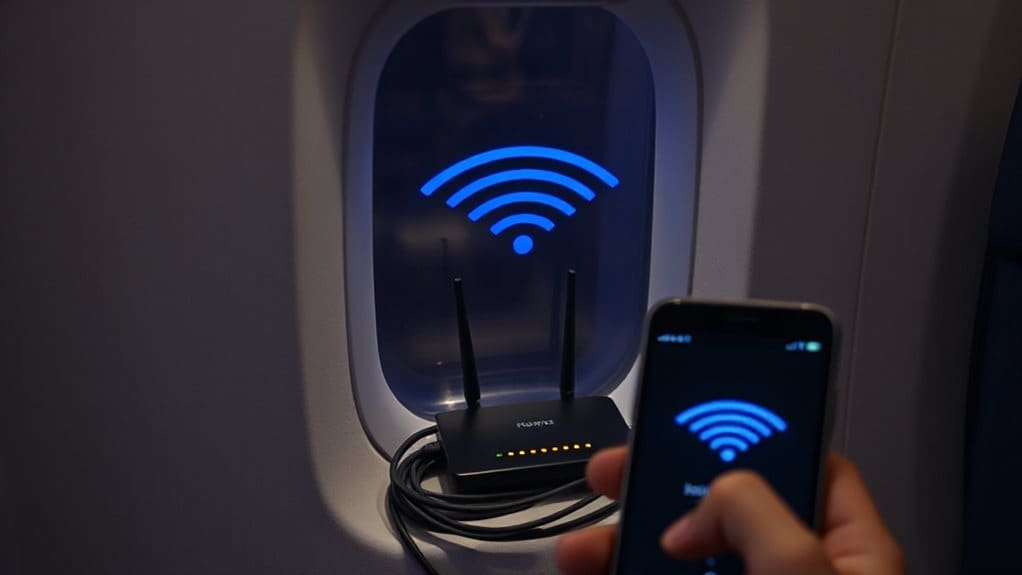
The evolution of in‑flight Wi‑Fi brings us to the moment your device actually connects, and the process starts with the aircraft’s antennas.
Your plane’s antenna captures signals from towers or satellites, converts them into digital data, and sends them to the onboard router.
The router decodes the stream, creates a cabin‑wide Wi‑Fi network, and your phone links through the airline’s SSID, completing the device‑router‑antenna loop.
Because Bluetooth works in airplane mode, you can still connect wireless headphones while your phone remains in Airplane Mode (with Wi‑Fi enabled separately).
In‑Flight Wi‑Fi Speed Ranges: ATG, Ku‑Band, LEO
Air‑to‑ground (ATG) systems, Ku‑band satellites, and low‑earth‑orbit (LEO) constellations each set a different speed ceiling for in‑flight Wi‑Fi, and understanding those limits helps you gauge what to expect on a given flight.
ATG typically delivers 3‑9 Mbps, with upcoming 5G ATG reaching 25 Mbps average and 75‑80 Mbps peaks.
Ku‑band real‑world speeds hover 2‑5 Mbps, though theoretical limits rise to 50 Mbps.
LEO ranges from 1.1 Mbps up to 47 Mbps, offering lower latency and faster peaks.
In‑flight Wi‑Fi speeds can also feel slower in practice due to network congestion and bandwidth limits during busy flight hours.
Enable Airplane Mode Before Connecting?
Because airlines require it, you should turn on airplane mode before you start looking for the cabin’s Wi‑Fi network. Airplane mode disables cellular, Bluetooth and NFC, preventing signal searches that drain battery and could interfere with avionics. After activation, re‑enable Wi‑Fi manually to connect to the in‑flight hotspot. carry-on power banks must be kept in your carry-on and any spare lithium batteries handled according to TSA/FAA limits. This saves power, avoids roaming charges, and guarantees compliance while you stay free to browse.
In‑Flight Wi‑Fi Pricing Tiers Explained
You’ll find that most airlines split their onboard internet into three pricing tiers: a basic tier that lets you send free messages, a standard tier that enables paid web browsing, and a premium tier that offers full‑screen streaming. The basic tier usually covers apps like iMessage or WhatsApp, while the standard tier costs per hour or per data package for general browsing. Real-time pricing is also used behind the scenes to adjust how much connectivity you can buy and when, so the available options may change based on demand and operational conditions during your flight. If you want to watch movies or live TV, the premium tier typically requires a higher fee or a subscription.
Basic Tier Free Messaging
If you’re only interested in sending texts, the basic tier of most in‑flight Wi‑Fi plans lets you chat without paying for a full‑speed connection. Delta, T‑Mobile partners, Southwest, British Airways and other carriers all include free messaging on iMessage, WhatsApp, Facebook Messenger, and similar apps.
You can send words and emojis from one device, but photos, videos, SMS and MMS are blocked.
Memberships like SkyMiles, Rapid Rewards or Club often enable this tier automatically.
Standard Tier Paid Browsing
When you upgrade to the standard tier, you gain full‑speed browsing for the duration of the flight, but you’ll pay a flat fee per trip or a subscription that includes a set data allowance.
Airlines such as United and American charge $12‑$19 per flight or monthly plans from $49 to $250 with 20 GB included.
Overage fees range $10‑$50 per extra gigabyte, and Viasat or Panasonic systems deliver the connectivity.
Premium Tier Streaming Access
After the standard tier’s flat‑fee browsing, the premium tier upgrades you to full‑speed streaming for movies, shows, and music throughout the flight.
You can enjoy unlimited high‑bandwidth content on American’s narrow‑body fleet for free as an AAdvantage member, or pay $49 a month (or 7,500 miles) with United for all aircraft.
Other airlines offer tier‑based passes, mileage rewards, or per‑flight fees ranging $10‑35.
Why Some Wi‑Fi Is Free: Airline Partnerships & Ads
You’ll notice that many airlines bundle ad‑sponsored tier packages with free connectivity, letting you stream while a banner or video runs in the background.
Those revenue‑sharing partnerships with telecoms or satellite providers cover the cost of the link, so the airline can offer a basic data allowance without charging you.
The agreements usually impose modest usage limits, ensuring the free tier stays sustainable while still providing a useful online experience.
Ad Sponsored Tier Packages
Airlines often make Wi‑Fi appear free by pairing the service with a sponsor or an ad‑supported tier, and the mechanics behind those offers vary by carrier. You’ll see American’s AT&T‑backed free high‑speed tier for AAdvantage members, Etihad’s Platinum “Surf” package, and limited‑time ad‑supported minutes on Thai and Turkish flights.
Each carrier caps usage or data, then prompts upgrades, balancing free access with revenue goals.
Revenue‑Sharing Partnerships
When airlines partner with connectivity providers, they often split the revenue generated from ads, sponsorships, or loyalty‑program integrations, turning what would be a costly service into a free offering for passengers.
You’ll see 70/30 splits on multi‑tenant platforms, loyalty‑driven free Wi‑Fi that enhances SkyMiles sign‑ups, and targeted video ads that fund the service while keeping you online without extra cost.
Data Usage Limits
Because airlines rely on ad‑supported and loyalty‑driven models, they often impose strict data caps on the “free” Wi‑Fi they offer. You’ll typically get 15‑minute trials, basic email access, or limited megabytes—enough for quick checks but not full‑flight streaming.
Loyalty tiers and premium cabins lift these caps, granting unlimited or larger allowances, while newer LEO satellites reduce costs enough to keep modest free limits viable.
What Affects In‑Flight Wi‑Fi Speed and Reliability?
Even though you’re cruising at 35,000 feet, the speed and reliability of the Wi‑Fi you use are shaped by several intertwined factors.
ATG signals share bandwidth with nearby aircraft, while satellite links contend with distance‑induced latency and limited capacity.
Passenger load, route coverage, airline throttling, and the type of modem all affect ping, packet loss, and overall performance.
Performance‑Boosting and Privacy‑Protecting Tips
Maximize your in‑flight connection by cutting unnecessary traffic before you even board.
Disable auto‑updates, backups, and photo sync, and turn off background apps and OS refresh.
Close extra tabs, pre‑load sites, and use DevTools throttling.
Sit near the front, enable airplane mode, and reboot Wi‑Fi if needed.
Use a portable hotspot or signal booster, and focus on low‑bandwidth tasks to protect privacy and speed.
When In‑Flight Wi‑Fi Drops: Takeoff, Landing, Ocean Crossings
When the aircraft begins its ascent or descent, you’ll often notice the Wi‑Fi connection flicker or drop entirely. FAA now permits Wi‑Fi during these phases, but radar and weather systems still cause interference, especially on 5 GHz upper channels.
Satellite links stay stable over oceans, yet latency spikes.
Low‑altitude aircraft near airports can disrupt both 2.4 GHz and 5 GHz bands, making signal strength readings unreliable.
And Finally
By understanding the differences between ATG, satellite, and LEO systems, you can set realistic expectations for speed, cost, and reliability. Knowing how your device connects, what factors influence performance, and how to protect your privacy lets you make the most of in‑flight Wi‑Fi. Remember to follow airline guidelines, enable airplane mode before connecting, and be prepared for brief outages during takeoff, landing, or remote over‑water segments. This knowledge helps you stay connected and informed while traveling.