Pick same‑airport or hub connections to keep walking distance minimal, and use airline‑partner networks so flights stay within a single terminal. Set Google Flights’ multi‑city mode and apply the “connecting airports” filter to limit domestic layovers to 20‑40 minutes and international ones to 60‑120 minutes. Choose one‑way tickets so you can book each leg separately and tighten the window. Keep lithium batteries and power banks in your carry‑on to avoid security delays, and enable real‑time alerts on Flighty or FlightAware for any schedule changes. Follow these steps and you’ll uncover even more tricks.
TLDR
- Use Google Flights “multi‑city” mode and set the “connecting airports” filter to the minimum layover time you’ll accept (e.g., ≤30 min domestic, ≤60 min international).
- Choose same‑airport or hub connections, which eliminate inter‑terminal walking and often have coordinated schedules for tight transfers.
- Book each leg as a one‑way ticket through partner airlines or alliance members to lock in the exact connection window you need.
- Enable real‑time flight alerts (Flighty, FlightAware, iOS Live Activities) and machine‑learning delay predictions to react instantly to schedule changes.
- Keep carry‑on items like lithium batteries in your bag and verify baggage‑transfer agreements to avoid security or handling delays during short layovers.
Minimum Domestic vs. International Layover Times

Because airlines and airports set minimum connection times (MCTs) to guarantee that passengers and luggage can make a transfer safely, the shortest allowable layover differs sharply between domestic and international flights. Domestic MCTs can be as low as 20‑40 minutes at efficient hubs, while international connections often require 60‑120 minutes for immigration, customs, and terminal changes. Airport layout, gate distance, and baggage handling further influence these limits. IATA approval is required for any new industry‑standard MCT. If you’re traveling with lithium batteries and power banks, keep them in your carry-on to avoid delays or complications during security and screening at the connection.
Use Airline‑Partner Networks for Short Layovers
When you tap into airline‑partner networks, you instantly gain access to a far broader set of routes without the airline having to add new aircraft. Alliances expand coverage, letting you stitch together flights from multiple carriers, while coordinated schedules cut waiting time. Seamless baggage transfer, shared lounges, and flexible frequent‑flyer points further streamline connections, giving you freedom to choose the quickest layover options—especially useful for standby-only travel where seating can depend on availability after ticketed passengers board.
Find Ultra‑Short Layovers With Google Flights Multi‑City

You can set the multi‑city dates to line up the legs you need, then apply the minimum layover filter to keep only the tightest connections. This combination instantly narrows the results to itineraries where each transfer lasts just a few hours, and it pairs well with offline‑ready maps and navigation for smoother connections.
Set Multi‑City Dates
If you switch Google Flights to multi‑city mode, you can pinpoint ultra‑short layovers by entering each leg’s dates separately.
Choose the first leg’s departure and arrival, then pick a calendar date.
Click “add flight” for the next segment, set its own dates, and repeat for all legs.
This lets you control every connection, ensuring minimal waiting time and flexible, efficient itineraries.
Filter By Minimum Layover
By using Google Flights’ “Connecting airports” filter, you can set a minimum layover time to hunt for ultra‑short connections in multi‑city searches.
Choose a preferred hub, then adjust the layover slider to exclude waits longer than 30 minutes domestically or 60 minutes internationally.
Combine this with the Advisory column to block risky, overnight, or terminal‑change connections.
The result is a streamlined itinerary that respects your freedom to move quickly.
Choose Same‑Airport or Hub Connections for Speed
When you compare same‑airport connections with hub‑based itineraries, speed hinges on how quickly you can move between gates and catch the next flight.
Same‑airport transfers avoid inter‑terminal walks, letting you stay within a single building.
Hubs, however, concentrate flights, narrowing gaps between departures and often offering higher frequency.
Choose the option that matches your schedule, knowing that hubs may provide compensation for longer waits while same‑airport routes keep transfers seamless.
If your layover becomes overnight, check airport-specific rules and security protocols to confirm how long you can remain after landing.
Opt for One‑Way Tickets to Tighten Layover Windows

Because you can book each leg separately, one‑way tickets let you pick the exact connection you need without being locked into a round‑trip schedule. You can also exploit real-time pricing since airlines adjust fares as seats sell, which can help you snag tighter layover windows.
You’ll avoid fixed layovers, mix airlines, and target the shortest available windows.
Domestic one‑ways often cost half a round‑trip, and U.S. carriers dropped change fees, so you can adjust dates or routes without penalties, while still keeping total costs competitive.
Travel With a Carry‑On to Avoid Re‑Checking Delays
Traveling with a carry‑on can shave minutes off your layover by eliminating the need to re‑check bags at the connecting airport. You keep your essentials in sight, so you skip the bag‑drop line and head straight to security. Fee‑free travel often starts with avoiding checked-bag fees altogether, so keeping everything in the cabin can help you stay on budget during multi‑segment trips.
Choose a lightweight, compliant suitcase that fits overhead bins, and pack only what you’ll use. This freedom lets you move swiftly, reducing bottlenecks and keeping your schedule tight.
Use Airport Apps and Maps to Cut Walking Time
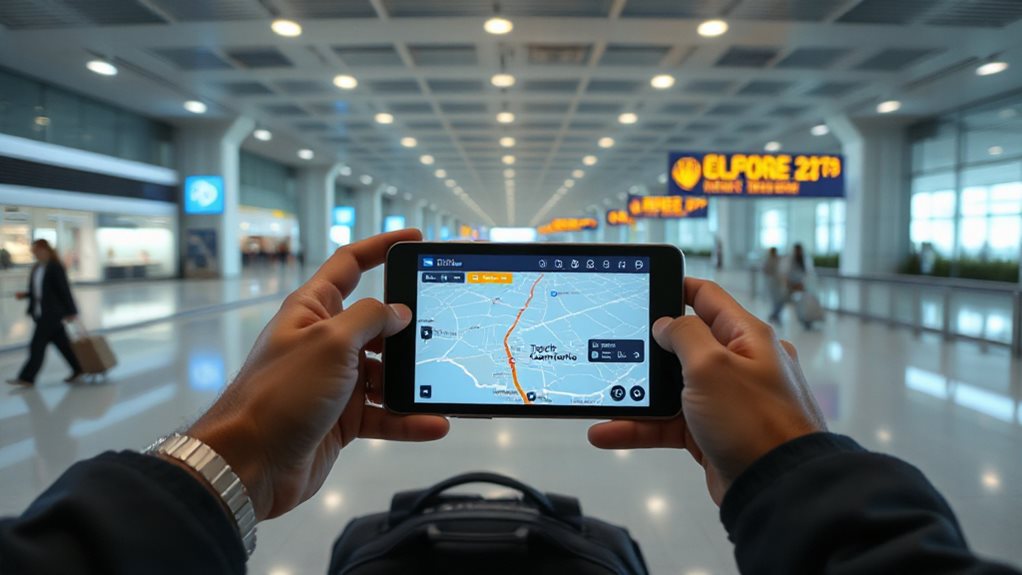
Using airport apps and interactive maps lets you shave minutes off each layover by showing exactly where to go and how fast you’ll get there.
Google Maps offers turn‑by‑turn indoor directions and real‑time gate updates.
TripIt Pro adds schedule summaries and hotel desk routes.
iFly.com provides security wait estimates and parking guidance.
Specialized apps like GoodMaps or GateGuru give 3D layouts, lounges, and voice‑activated wayfinding, keeping you moving efficiently.
How to Filter Out Tight Layover Results?
What makes a layover feel tight? Usually it’s usually the combination of short connection windows and limited airport amenities, which can turn a smooth transfer into a stressful scramble.
Use Skyscanner or Google Flights to deselect direct and 2+ stops, then set a maximum layover duration.
Sort by advisory icons to exclude under‑30‑minute domestic or under‑60‑minute international connections.
Combine these filters with airline and total travel time for freedom‑focused results.
Plan B: Backup Flights and Rebooking Tips

You should keep a backup flight in mind and know the exact steps for rebooking, because airlines will automatically place you on the next available service if a major schedule change occurs.
Follow the checklist: verify the change meets the DOT’s significant‑change thresholds, confirm the airline’s refund or rebooking policy, and decide whether to accept the first‑available option, request a carrier endorsement, or propose a second‑best itinerary.
Acting quickly and checking your itinerary regularly will let you secure the most convenient alternative without extra fees.
Backup Flight Options
When you’re planning a trip, adding a backup flight can protect you from unexpected cancellations, especially during high‑disruption periods like FAA staffing shortages.
Book a cancellable, refundable backup on a different airline to keep flexibility.
Target airlines with low cancellation rates—Delta, Southwest, Hawaiian—to reduce risk.
Use IATA’s schedule exchange for reliable data, and keep the backup ready to free seats if your primary flight is affected.
Rebooking Procedures Checklist
If your flight is cancelled, delayed, or you need to change it for personal reasons, start by evaluating the situation and gathering the essential details.
Check status via app or call center, note any 3‑hour domestic or 6‑hour international shift, and verify airline protections.
Review policies, use the website’s My Trips to select a new flight, and keep all confirmations and receipts for documentation.
Real‑Time Monitoring Tricks for Short Layover Changes
A short layover can turn into a missed connection if you don’t keep an eye on real‑time updates, so setting up immediate alerts is essential.
Download Flighty or FlightAware, enter your flight number, enable push notifications, and sync with Google Travel.
Use iOS Live Activities or Apple Watch for lock‑screen status.
Filter by aircraft type in Flightradar24, and enable machine‑learning delay predictions for fastest alerts.
And Finally
By focusing on domestic versus international minimum layover times, leveraging airline‑partner networks, and using tools like Google Flights’ multi‑city search, you can pinpoint ultra‑short connections. Choose same‑airport or hub transfers, consider one‑way tickets for tighter windows, and rely on airport apps to minimize walking distance. Filter out impractical options, keep backup flights handy, and monitor real‑time changes. These strategies together guarantee you consistently select flights with the shortest, most efficient layovers.