Pick apps that work on the local network—Signal, WhatsApp, or Telegram for encrypted chats, and Google Voice or Skype for calls without swapping numbers. Install a VPN on all devices before you leave and enable two‑step verification. Download offline translation packs for Google Translate or iTranslate, and set up an eSIM or global data plan from Airalo or Holafly to avoid roaming fees. Load a multi‑currency fintech wallet for seamless payments, and enable AI‑driven itinerary alerts for flight or hotel changes, so you stay connected and informed throughout the trip.
TLDR
- Choose a universal travel‑connectivity app (Signal, WhatsApp, or Google Voice) that works on local networks and supports end‑to‑end encryption.
- Activate an eSIM or global data plan (Airalo, Holafly) before departure to ensure reliable data, SMS, and minutes without surprise charges.
- Install a VPN on all devices and enable automatic connection to protect traffic on public Wi‑Fi and mask your IP address.
- Download offline translation packs (Google Translate, Microsoft Translator, Waygo) for text, voice, and image translation without internet.
- Use a multi‑currency fintech wallet (e.g., Revolut) for real‑time currency conversion, low‑fee payments, and offline spending with a prepaid Visa/Mastercard.
Choose the Right Travel‑Connectivity App for Your Destination

Where you’re headed and what connectivity you need should dictate the travel‑connectivity app you pick. Use WhatsApp for international messaging without swapping numbers, Messenger for Facebook‑linked chats and video calls, or Signal if privacy matters. Keep Google Voice for a U.S. number abroad, and rely on Skype for landline calls. Choose the app that matches your destination’s network and your communication priorities. Consider using Wise for seamless currency conversion when purchasing data plans abroad. Also pack a compact universal adapter like the VYLEE 5-in-1 so you can charge multiple devices reliably while traveling.
Set Up Encrypted Travel‑Connectivity Messaging Before You Travel
You should pick a few trusted messaging apps and verify they support end‑to‑end encryption before you leave, because that guarantees only you and your contacts can read your messages. Enable the built‑in encryption settings, such as disappearing messages or secret chats, and set up two‑step verification to protect your account if your phone is lost or stolen. Finally, test the apps across all devices you’ll use on the trip so you’ll travel everything works smoothly once you’re abroad. Consider also keeping a compact luggage scale on hand to avoid overweight fees and ensure you meet airline limits by checking bags before you head to the airport, especially using a 50 kg capacity scale for broad coverage.
Choose Secure Messaging Apps
Choosing the right secure messaging app before you leave is essential for staying connected without compromising privacy. Signal offers open‑source, low‑data, end‑to‑end encryption and works on all major platforms.
WhatsApp provides massive user reach and default encryption, making it less conspicuous.
Telegram’s secret chats add stronger protection, but you must enable them.
Threema guarantees anonymity without a phone number, while Viber utilizes phone contacts for quick, encrypted chats.
Pick the one that matches your privacy needs and device compatibility.
Enable End‑to‑End Encryption
Ever wondered how to keep your conversations private while hopping across borders? Install the latest Google Messages, update Carrier Services, and enable RCS chats. Verify encryption by checking the lock icon and conversation banner. Ensure all participants use compatible apps and have RCS on. When conditions meet, AES‑256 encryption activates automatically, and TLS safeguards transit. Enable encrypted cloud backups for added safety.
Download Offline Translation Apps for Text, Voice, and Images

You’ll want to pre‑download language packs so you can translate voice calls, text messages, and camera‑scanned menus even when you’re offline. Apps like Google Translate and Microsoft Translator let you save dozens of languages for instant speech and image translation, while iTranslate offers paid packs for a broader range. Keep Having Having camera‑focused tools such as Waygo make it easy to read signs and menus without a data connection. Many international travelers also prepare by checking seat and cabin dimensions or bringing a seat belt extender when concerned about seat width and comfort on flights.
Translate Voice Offline
Offline voice translation lets you hold a conversation in a foreign language without a data connection, which is essential when roaming abroad or traveling to regions with spotty internet. Google Translate offers two‑way offline dialogue for 50+ languages, while Papago delivers instant voice output in 13 Asian languages. Microsoft Translator supports group chats up to 100 participants, and ITranSlate handles 138 languages with speech‑to‑speech conversion. Choose the app that matches your device and language needs for seamless, offline communication.
Camera Menu Translation
After achieving offline voice translation, the next step is to capture written information without a data connection. Use Google Translate for live AR overlays, Waygo for Asian scripts, or Microsoft Translator for group scenarios. iTranslate and Papago add style or accuracy for Korean, Japanese, Chinese. All Offline Language Translator and Camera Translator All Language handle gallery images, delivering instant, contextual translations on the go.
Pre‑Download Language Packs
Where can you find reliable translation tools before you leave the airport? Download offline language packs from apps like Google Translate, Translate Now, Microsoft Translator, iTranslate, Papago, and Waygo. These apps let you translate text, voice, and images without internet, support hundreds of languages, and include camera mode for menus and signs. Pre‑installing ensures you stay independent, confident, and connected wherever you travel.
Activate an eSIM or Global Travel‑Connectivity Data Plan With No Hidden Fees
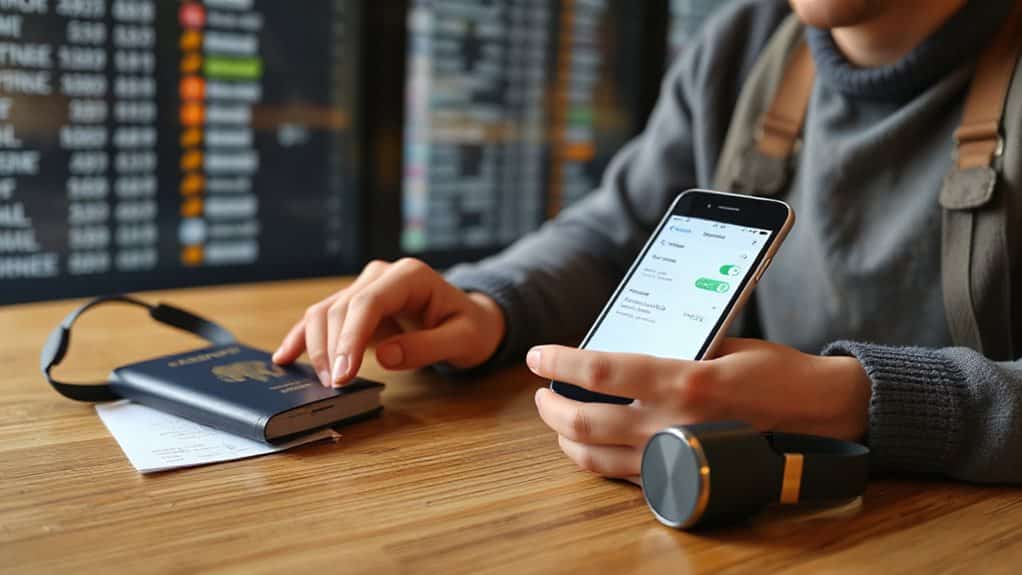
How can you activate an eSIM or global travel‑connectivity data plan without worrying about hidden fees? Choose a provider like Airalo, Holafly, or Jetpac that lists fixed prices per country or region. Verify that the plan includes data, SMS, and minutes as advertised. Download the app, select your destination, pay the transparent amount, and install the eSIM instantly. No surprise charges appear during your trip. Stay alert in busy transit zones to protect your device from snatch thefts moped-enabled thefts and pickpocketing.
Use Wi‑Fi‑Only Apps to Cut Travel‑Connectivity Roaming Costs
What if you could avoid roaming charges entirely by relying only on Wi‑Fi? Use WhatsApp, Telegram, or iMessage to chat and call, since they consume minimal data compared to SMS. Compress browsing with Opera Mini or NetGuard, and download offline maps via Maps.me or Google Maps before you leave. Locate free hotspots using Wi‑Fi Finder, secure connections with a VPN, and keep TripIt and Tricount offline for organization. This approach eliminates cellular fees while maintaining full connectivity. Consider packing a lightweight travel router or portable hotspot to improve connection options on the go.
Sync Wearables and Luggage Trackers for Seamless Travel‑Connectivity

You can keep your travel ecosystem in sync by linking your wearable devices with smart luggage trackers through low‑power wireless protocols such as Bluetooth Low Energy (BLE).
BLE conserves battery while IoT pairing authenticates securely.
Cloud services like AWS enable cross‑platform sync, and AES‑256 encryption protects location and health data.
Adaptive sync—event‑driven or periodic—balances updates with battery life, ensuring continuous, reliable connectivity on the go.
Choose protective, water‑resistant travel gear like PEVA and PVC bags to safeguard trackers and wearables from moisture and abrasion while in transit.
Turn On AI Travel‑Connectivity Assistants for Real‑Time Itinerary Updates
When you enable an AI travel‑connectivity assistant, it taps into live flight, hotel, and local‑transport APIs to push real-time itinerary updates straight to your preferred channel—whether that’s SMS, voice, or a messaging app. It instantly detects delays, gate changes, and weather shifts, then sends personalized alerts.
You can also ask it to rebook, suggest alternate routes, or sync with your calendar, keeping travel plans fluid and stress‑free.
Secure Your Connection With a VPN and Get Automatic Delay Alerts

How can you stay safe online while catching a flight or waiting in a terminal? Use a VPN on every device before you travel; it encrypts traffic, masks your IP, and blocks hackers on public Wi‑Fi. Choose a service with obfuscation for censored countries, and enable automatic delay alerts so you receive real‑time flight updates without exposing personal data.
Handle Travel‑Connectivity Payments With Multi‑Currency Fintech Wallets
A VPN protects your data on airport Wi‑Fi, and the same mindset applies to money when you cross borders. Use a multi‑currency fintech wallet to hold USD, EUR, GBP and dozens of other currencies in one app, avoiding cash and multiple accounts. You’ll get real‑time interbank conversion, low or zero forex markup, local bank details, and a prepaid Visa or Mastercard for offline spending, all secured with encryption and two‑factor authentication.
Set Up Automated Alerts for Hotel and Flight Changes

You’ll receive real‑time change alerts for flights and hotels the moment a schedule shifts, thanks to AI‑powered monitoring tools that scan airline and reservation systems.
By setting your notification preferences, you can choose push, SMS, or email channels so alerts arrive in the format you trust most.
This multi‑channel approach keeps you informed without juggling multiple apps, reducing the risk of missed updates while you travel.
Real‑Time Change Alerts
Ever wondered how you can stay ahead of sudden hotel or flight disruptions while traveling abroad? Sign up for STEP email alerts, then input your itinerary into your bank’s travel‑notification feature. Enable automated notifications from services like Riskline, which push precise location‑based updates. These real‑time alerts let you rebook flights, switch hotels, and adjust routes instantly, preserving freedom and minimizing hassle.
AI‑Powered Monitoring Tools
When you enable AI‑powered monitoring tools, your travel itinerary stays up‑to‑date without any manual effort. Services like Google Gemini 3.1 scan your inbox, sync with Maps and Gmail, and flag flight delays or gate changes instantly.
TripIt pushes real‑time alerts for hotel and flight tweaks, while Roam Around adjusts itineraries on the fly. This automation saves hours, enhances confidence, and lets you travel freely.
Multi‑Channel Notification Preferences
AI‑powered monitoring tools keep your itinerary current, but you still need a reliable way to be notified of sudden hotel or flight changes.
Set up email alerts via Gmail for price shifts and STEP security updates, enable push notifications in travel apps for instant map‑based warnings, and subscribe to SMS services for urgent messages when data is spotty.
Integrate APIs if you travel for work, syncing all channels for seamless, real‑time awareness.
And Finally
By choosing the right apps, ensuring a VPN, and using eSIM or global data plans, you’ll stay connected without hidden fees. Offline translators and Wi‑Fi‑only tools keep communication smooth when roaming isn’t available. AI assistants and automated alerts keep your itinerary current, while multi‑currency wallets simplify payments. Together, these steps ensure reliable, affordable connectivity throughout your international trip.