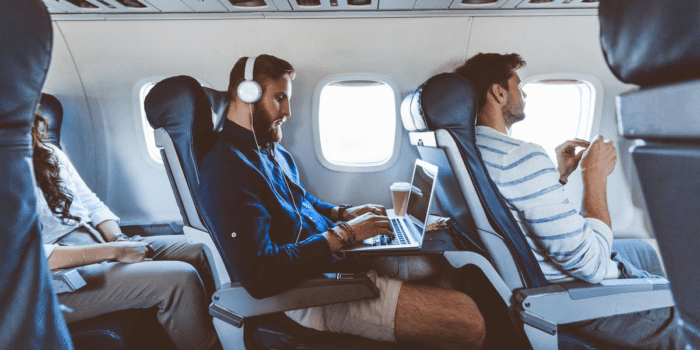
It’s common for some travelers to bring two laptops with them during their travels. Whether it’s a personal preference or wanting to establish boundaries between personal and work, it is understandable why people opt to carry multiple laptops on board.
However, first-time travelers might wonder whether two or more laptops are allowed during international flights. If you want to be sure, read this article, and we’ll discuss everything you need to know about carrying multiple laptops when flying to another country.
TLDR
- Two laptops in the cabin: Allowed. TSA sets no quantity limit on laptops, and your airline’s carry-on allowance is the real constraint.
- Two laptops in the hold: Allowed with both devices switched off, though the battery and the value argue for keeping them with you.
- Screening: Each laptop goes in its own bin unless you have PreCheck, which lets you leave them in the bag.
- Customs at arrival: A destination question, not a US one. Some countries charge duty on a second device that looks imported.
- Spare batteries: Cabin only. Installed batteries can be checked as long as the device is switched off.
- Airline limits: Size and weight bind you long before device count does, and a second laptop eats most of a carry-on allowance.
Can I Carry 2 Laptops on International Flight?
Yes, two laptops are allowed on most international flights. Most airlines do not have quantity limitations on how many laptops you’ll bring. You can even carry three or more laptops with you, and they won’t confiscate any of them.
The problem with bringing multiple laptops to other countries is dealing with the country’s customs at the airport. Some countries like India and a few European countries impose a tariff on electronics when they find out they were purchased abroad and not personally owned.
They call this the customs duty tax, where you may have to pay import duty, depending on the country you’ll be going to. However, this applies only to laptops purchased overseas, which may require proof of purchase during the inspection. (Read Do Vapes Set Off Metal Detectors)

Other Airlines Rules About Bringing Laptops
We listed the rules of most common airline regulators that fly outside of the United States when it comes to carrying laptops:
International Air Transport Association (IATA)
IATA is an airline trade association, not a regulator, and its members are the airlines themselves. IATA allows laptops in carry-on bags and checked luggage, but they recommend bringing the device to your cabin baggage. Just make sure that it’s completely turned off!
Transport Canada Civil Aviation (TCCA)
TCCA has no restrictions when it comes to carrying laptops. Laptops are allowed both in carry-on bags and checked luggage of the passengers.
Civil Aviation Administration of China (CAAC)
Laptops are generally allowed by the CAAC, but the batteries should be less than 160 watt-hours. Laptops with battery watt-hours of more than 160 must seek airline approval before the flight.
Civil Aviation Safety Authority (CASA)
CASA regulates flights to and from Australia, allowing laptops with batteries less than 160 watt-hours in carry-on bags and checked luggage. (Learn How Long Does Cologne Last)

Are Laptops Banned on Domestic Flights?
No, laptops are not banned on domestic flights. You can even bring more than one laptop per Transportation Security Administration (TSA) and place them in your carry-on bag or checked luggage. While the TSA doesn’t have exact regulations about bringing laptops on domestic flights, here’s what they said in one of their tweets when someone asked about carrying a laptop with him:
“Laptops are allowed in carry-on bags with no quantity limitations. Please remove all personal electronic devices larger than a cellphone and place them in a bin for X-ray screening.”
TSA only reminded the passenger to put their cellphone, laptop, and other portable electronic devices in a separate bin to ensure that they won’t trigger the alarm at the airport. TSA and the Federal Aviation Administration (FAA) also only have strict regulations regarding lithium batteries. Most airlines also do not allow passengers to bring spare batteries that are over 100 watt-hours without airline approval. But since modern laptops do not require extra batteries and only charging, try to keep this in mind for your other electronic devices.
Airline Rules About Carrying MacBook Laptops
Apart from spare lithium batteries, the only exception when carrying laptops is when you’re bringing an Apple MacBook.
In case you didn’t know, Apple recalled its 15-inch MacBook laptops made between 2015 to 2017 because its built-in lithium batteries tend to overheat and catch fire. Due to this announcement, several airlines have banned these particular recalled models on the plane.
While some airlines only banned these recalled models, Virgin Australia airlines banned all MacBook models from being brought on board, regardless of whether it’s a recalled model.
Tips When Packing a Laptop for Travel
We know you only want the utmost safety when bringing your laptop on your travels. Here are some valuable tips to make sure your laptop is kept safe:
Do not pack your laptop in your checked luggage
If you’re considering placing your laptop in your checked bag, don’t even dare do it! Once you have already checked in your luggage, you don’t have control over it. Checked bags get stacked, smashed, and tossed around while in transit, which you want to avoid when your valuable laptop is in it.
Pick a carry-on bag with multiple compartments
If you’re bringing multiple laptops with you, it will help that your carry-on bag has multiple compartments so you can segmentize your items. This will help you find your items quickly when you need them. The same goes for your laptops, which will have their own space and won’t get mixed with your other things. (Read Can You Chew Tobacco On A Plane)
Make sure your laptop is charged
There are incidents when airport security asks passengers to turn on their laptops for added inspection. So, it would be best if you charged your laptop and other electronic devices when flying internationally so you wouldn’t have to deal with interrogations about them.
Pack your laptop before anything else
You do not want your laptop squeezing in last minute when you’re packing, so it’s best to pack it in your bag first. Once you’ve placed it in your hand luggage, you’ll know how much left you should put, so you only fill it in a little and squash your laptop.
Place it in a laptop bag
A bag within a bag? Definitely, yes, for utmost safety. Putting your laptop directly into your carry-on bag makes it prone to scratches since it goes in contact with your other items, which is a big no-no. Place it in a laptop bag before storing it in your hand luggage.
Place your charger in a separate compartment
Do not put your charger in the same compartment as your laptop if you’re not using a laptop bag, so it won’t get tangled when you have to take out your laptop.
Putting Your Laptop in Checked Baggage
TSA allows putting your laptop in your checked baggage, but we don’t recommend it. As a valuable item, you always want to watch all your devices.
But if you’ll be bringing multiple laptops and you want to store some of it in your checked bag, here are some things you can do to make sure it’s protected:
- Before anything else, ensure you turn off your laptop to prevent causing unnecessary hazards once you check in your luggage. Remember, spare lithium batteries have to stay in the cabin, not in checked luggage.
- Wrap the center of your laptop with three or more layers of bubble wrap. This will serve as a protective layer above the laptop.
- You can also add padding in the laptop corners using a piece of foam. Secure it with packing tape for better protection.
- Wrap it with clothing such as your sweater or shirt for added protection, then place it in the center of your luggage.
- Keep your cords, charger, and other laptop accessories in one organizer so they won’t get scattered all over your luggage.

Frequently asked questions
Can I carry two laptops on an international flight?
Yes. Neither TSA nor the airlines set a limit on how many laptops one passenger can carry, so two or three are fine as long as the bag meets your airline’s size and weight limit. TSA asks that each laptop comes out of the bag into its own bin for X-ray screening.
Do both laptops have to come out at security?
At a standard lane, yes. Each one goes in a separate bin, screen up and nothing stacked on top. If you are flying with TSA PreCheck, laptops can stay in the bag. Some airports outside the US ask for them out regardless, so follow what the lane tells you.
Can I put a laptop in checked baggage?
TSA allows it, and the airline allows it, but the case gets stacked and thrown with no one accountable for what is inside. If you must check one, switch it off, protect the screen and corners, and accept that the airline’s liability for electronics is limited. Carrying both in the cabin is the safer habit.
Will customs charge duty on a second laptop?
It depends on the country and on whether the device looks like an import rather than your own used property. Some customs services ask you to declare electronics over a value threshold, and a second laptop in a new box invites the question. Keep receipts on your phone and be ready to show that the device travels with you.
Does my airline limit how many laptops I can bring?
No airline publishes a laptop count. What they do enforce is carry-on size and weight, and a second laptop plus chargers can push a small cabin bag over a tight weight limit. Weigh the bag at home and check the allowance on your ticket before you rely on it.
Primary source: TSA, Laptops.
What to do next
Check your airline’s cabin weight limit before you decide which bag both laptops travel in, and plan to put each one in its own bin at screening. If a second device is for work, carry the purchase proof with it.